How to Edit Subtitles Online Before You Export
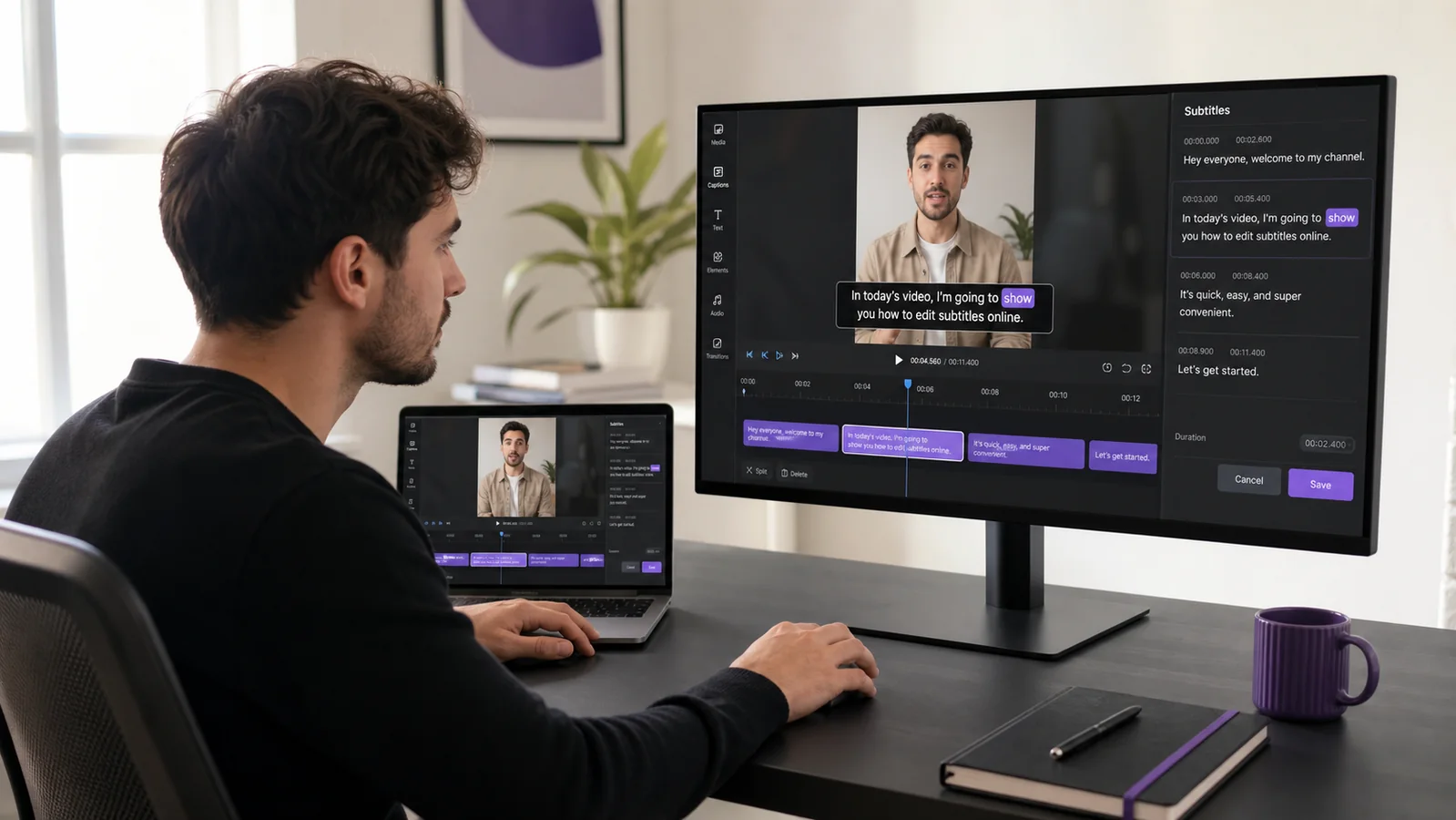
Edit subtitle text, timing, line breaks and placement online, then preview every change on your video and export a finished captioned MP4.
Keep readingBriefVox / Blog
Guides and tips on transcription, subtitles and AI meeting notes.
Edit subtitle text, timing, line breaks and placement online, then preview every change on your video and export a finished captioned MP4.
Keep readingAdd clear, styled captions to a Facebook video or Reel automatically. Auto-transcribe your clip, pick a style, and export a burned-in MP4 that works on mute.
Keep readingWord-by-word captions reveal each word in sync with the audio — the high-retention style top creators use. Here is how to add them automatically.
Keep readingPut captions on any video automatically. Upload your clip, let AI transcribe it, style the subtitles, and export an MP4 with the captions burned in.
Keep readingAdd accurate, eye-catching captions to a YouTube Short in minutes. Auto-transcribe your clip, style word-by-word captions, and export a burned-in MP4.
Keep readingAdd clean, styled subtitles to an Instagram Reel automatically. Auto-transcribe your video, choose a caption style, and export a burned-in MP4 ready to post.
Keep readingAdd accurate, animated captions to a TikTok video in minutes. Auto-transcribe your clip, pick a style, and export a ready-to-post MP4 with burned-in subtitles.
Keep readingConvert WhatsApp voice notes into text you can read, search and save. Export the audio from the chat, upload it, and get an accurate transcript — step by step.
Keep readingTurn iPhone Voice Memos or Android voice recordings into text you can search, edit and export. Works with M4A and MP3 files — here's the simple step-by-step.
Keep readingTurn a Google Meet recording from Drive into a speaker-labeled transcript and meeting notes you can edit and export. Quick step-by-step, no bot needed.
Keep readingWhich audio and video files you can upload for transcription — MP3, WAV, M4A, MP4, MOV and more — plus tips on file size and importing from a link.
Keep readingPractical tips for cleaner, more accurate transcripts: pick the right language, cut background noise, and fix the rest in seconds. For meetings and podcasts.
Keep readingTurn a Microsoft Teams recording into an accurate, speaker-labeled transcript you can edit and export — for minutes, notes or subtitles. Step by step.
Keep readingTurn a Zoom recording into a clean, editable Word (DOCX) file with speaker names and timestamps — far tidier than Zoom's raw .vtt. Step by step.
Keep readingTurn any podcast episode into accurate text for show notes, blog posts and SEO. A simple workflow to transcribe, edit and reuse an episode.
Keep readingStop typing meeting notes by hand. Record the meeting and let AI transcribe and summarize it into decisions, action items and follow-up.
Keep readingConvert any MP3 audio file to text without typing. Upload, let AI transcribe with speaker labels and timestamps, then export to DOCX, TXT or subtitles.
Keep readingTranscribing interviews by hand is slow. Here's a cleaner workflow that gives you a speaker-labeled transcript you can quote, search, and translate.
Keep readingAdd subtitles to video without typing them by hand. Generate timed captions automatically, edit them, and export SRT or VTT.
Keep readingTurn any YouTube video into clean, editable text. Get an accurate transcript with speaker labels and timestamps — for notes, articles or subtitles.
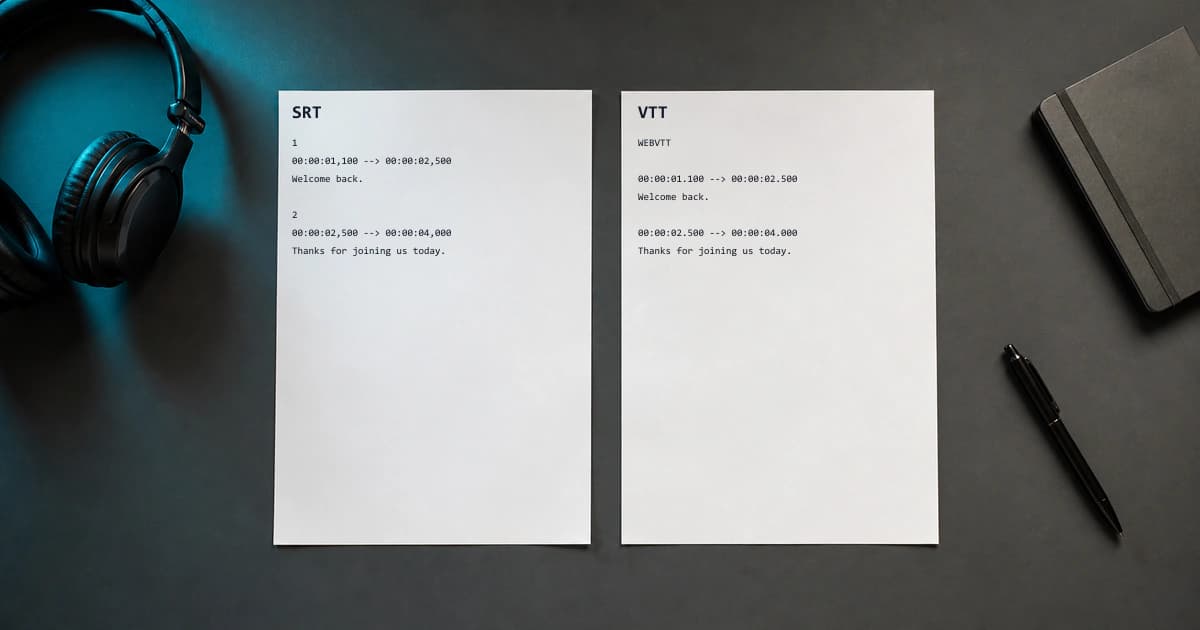
Keep readingSRT and VTT are the two most common subtitle formats. Here's the practical difference, when to use each, and how to generate them automatically from any video.
Keep readingTurn any Zoom recording into a clean, speaker-labeled transcript with less manual work. Step-by-step, plus tips for accuracy and DOCX or SRT export.
Keep reading