How to Add Word-by-Word Captions to a Video
Word-by-word captions reveal each word in sync with the audio — the high-retention style top creators use. Here is how to add them automatically.
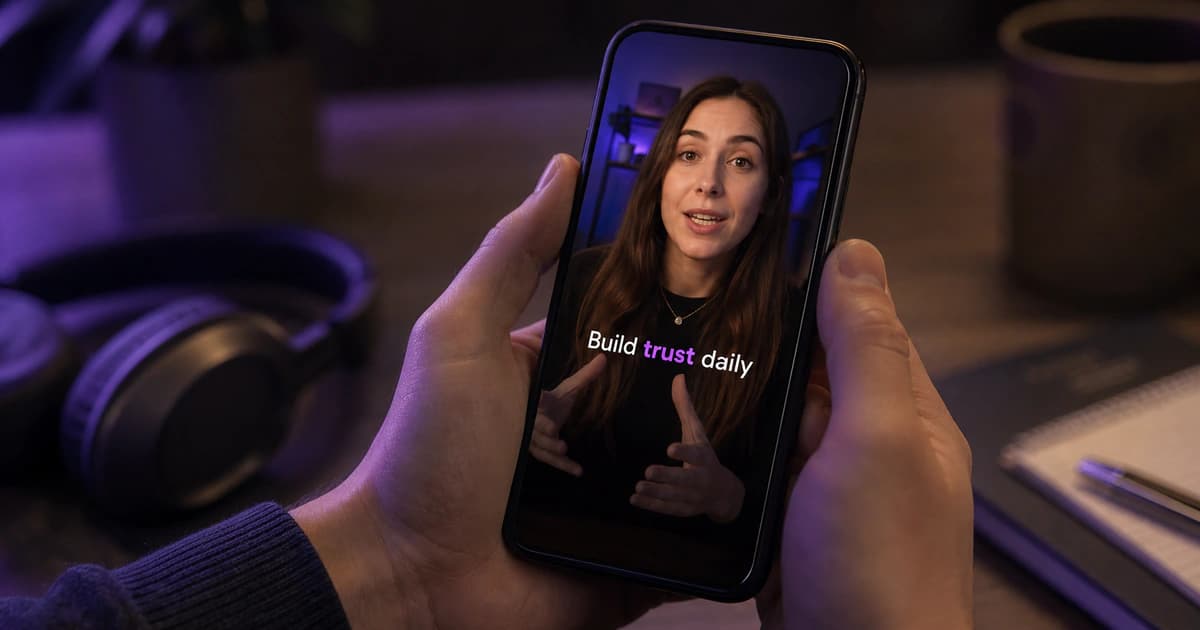
Word-by-word captions — where each word pops or highlights exactly as it is spoken — are everywhere in short-form video for a reason: they pull the eye along the line and keep viewers watching. The look is often called karaoke-style or highlight captions. Doing it manually means timing every single word, which is painful. Here is how to get the effect automatically.
Why word-by-word works
Static captions dump a whole line on screen and the eye skims ahead or wanders off. Revealing one word at a time keeps the viewer locked to the current word, which is why the technique is so common in high-retention content. The key requirement is accurate word-level timing.
Step 1 — Upload and auto-transcribe
Upload your clip and let the AI transcribe it. Crucially, the transcript comes back with per-word timestamps, not just per-line — that is what makes true word-by-word animation possible rather than a rough approximation.
Step 2 — Choose a highlight or reveal style
Pick a preset that reveals or highlights word by word. You can control how the active word stands out — a color highlight, a scale-up pop, a fill that sweeps across the word, an outline or glow — and set how much bigger the active word gets.
See the word-by-word caption styles →Step 3 — Tune the timing feel
Because timing is driven by the transcript, the captions stay locked to the audio automatically. You can still adjust size, line width and position so only one short line shows at a time, which reads best on a phone.
Step 4 — Export the MP4
Render the video with the animated captions burned in. The word-by-word effect is baked into the picture, so it plays identically on every platform.
Frequently asked
Do I have to time each word myself?
No. The per-word timings come from the transcription, so the animation is automatic. You only adjust the look, not the timing of individual words.
Can I still fix a misheard word?
Yes — edit the text before rendering. The word keeps its timing slot, so correcting spelling or names does not break the animation.
Try animated captions on your own clip →Start here: how to put captions on a video →Try BriefVox free
Start transcribing →